01Work
The agent starts from a work item.
Intent and state live in the same project the team reviews.
Your coding agent lives in the terminal. BIKLABS provides projects, work items, and a limited MCP surface for coordinating its work without moving the repository.
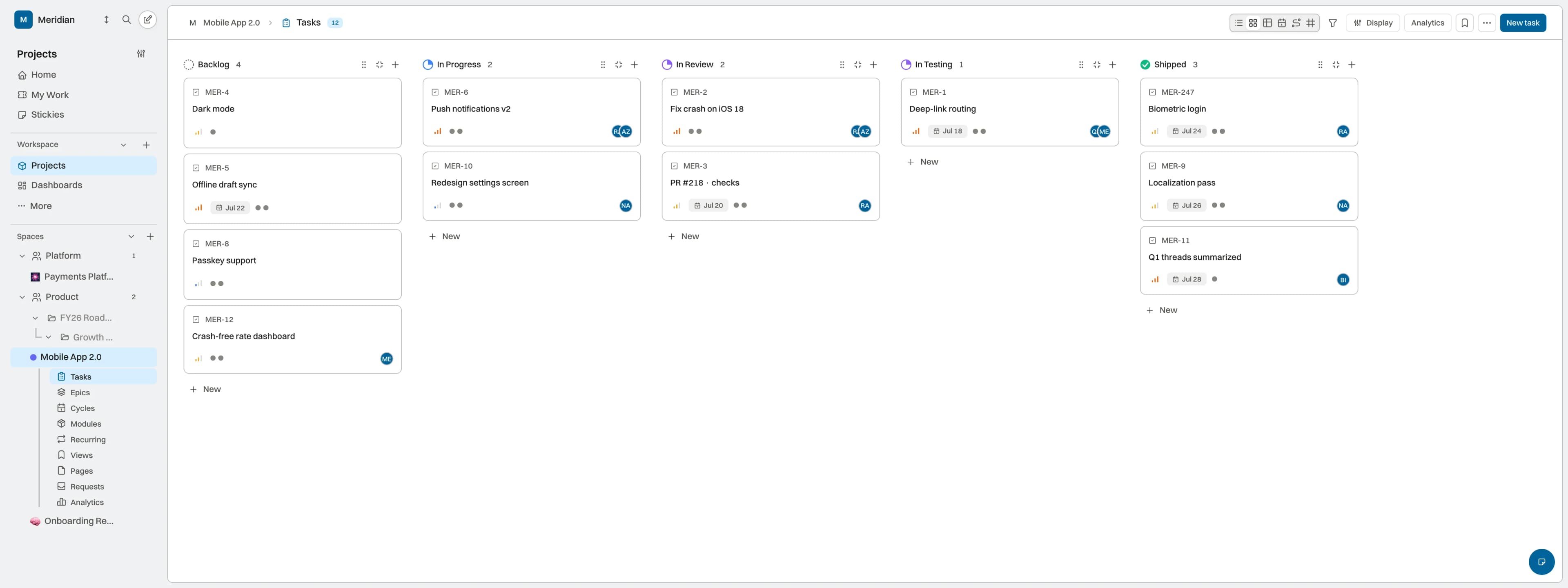
BIKLABS connects the execution environment to visible project work. The current surface is deliberately limited; identity, gates, and run metrics expand in stages.
Intent and state live in the same project the team reviews.
MCP exposes permitted operations without moving code into BIKLABS.
Identity, metrics, and gates are communicated with their actual availability.
Codex, Claude Code, or another compatible client can use the current MCP surface to read and update projects and work items within supported scopes. The repository and execution stay in your environment.
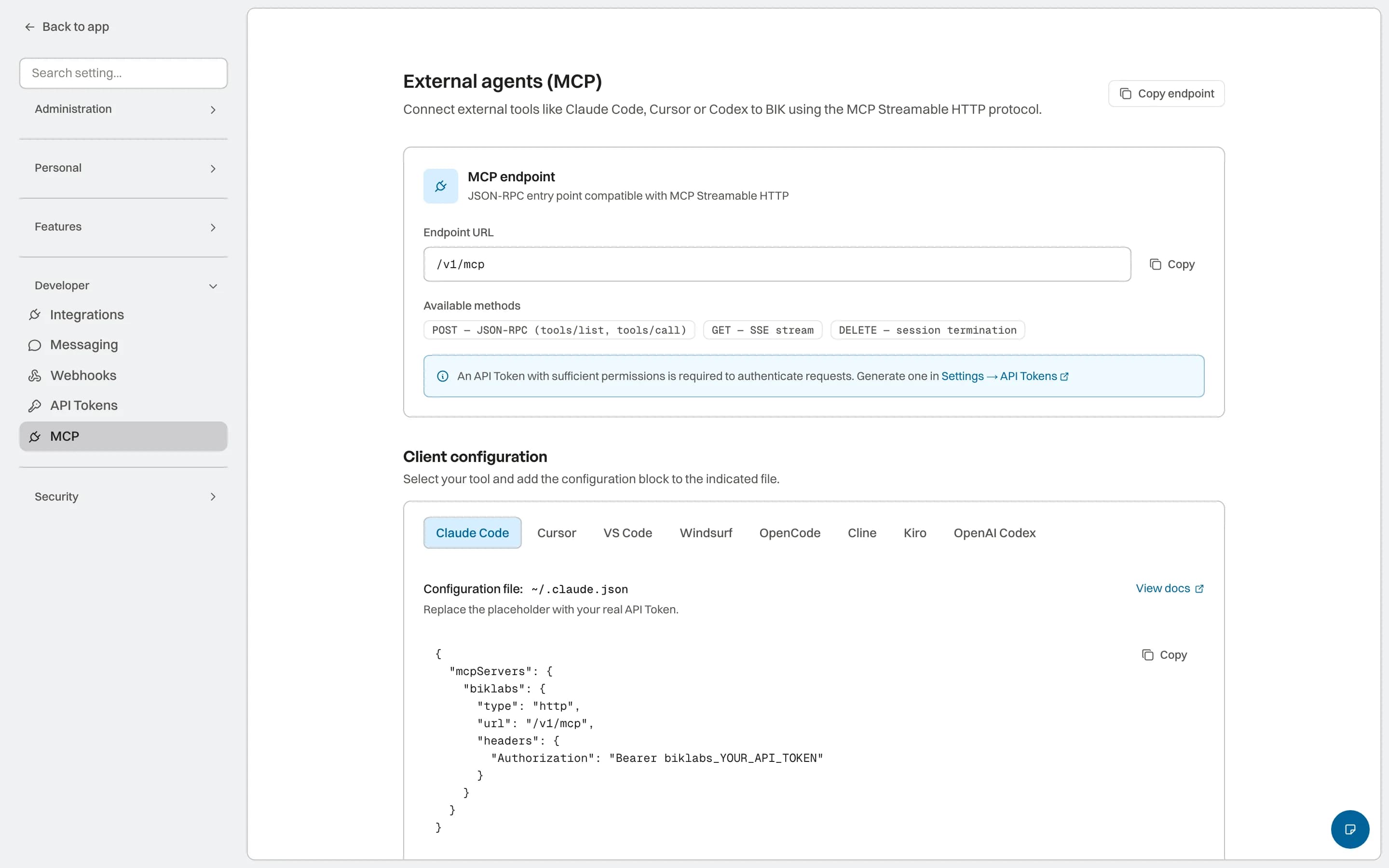
Define priorities and work in BIKLABS. The board keeps the state people share; an external agent can operate only through the MCP tools enabled for it.
Runs can show events, tokens, cost, and outcome when the runtime returns them. Gates are in pilot, and complete audit, budget, or action coverage is not presented as available yet.
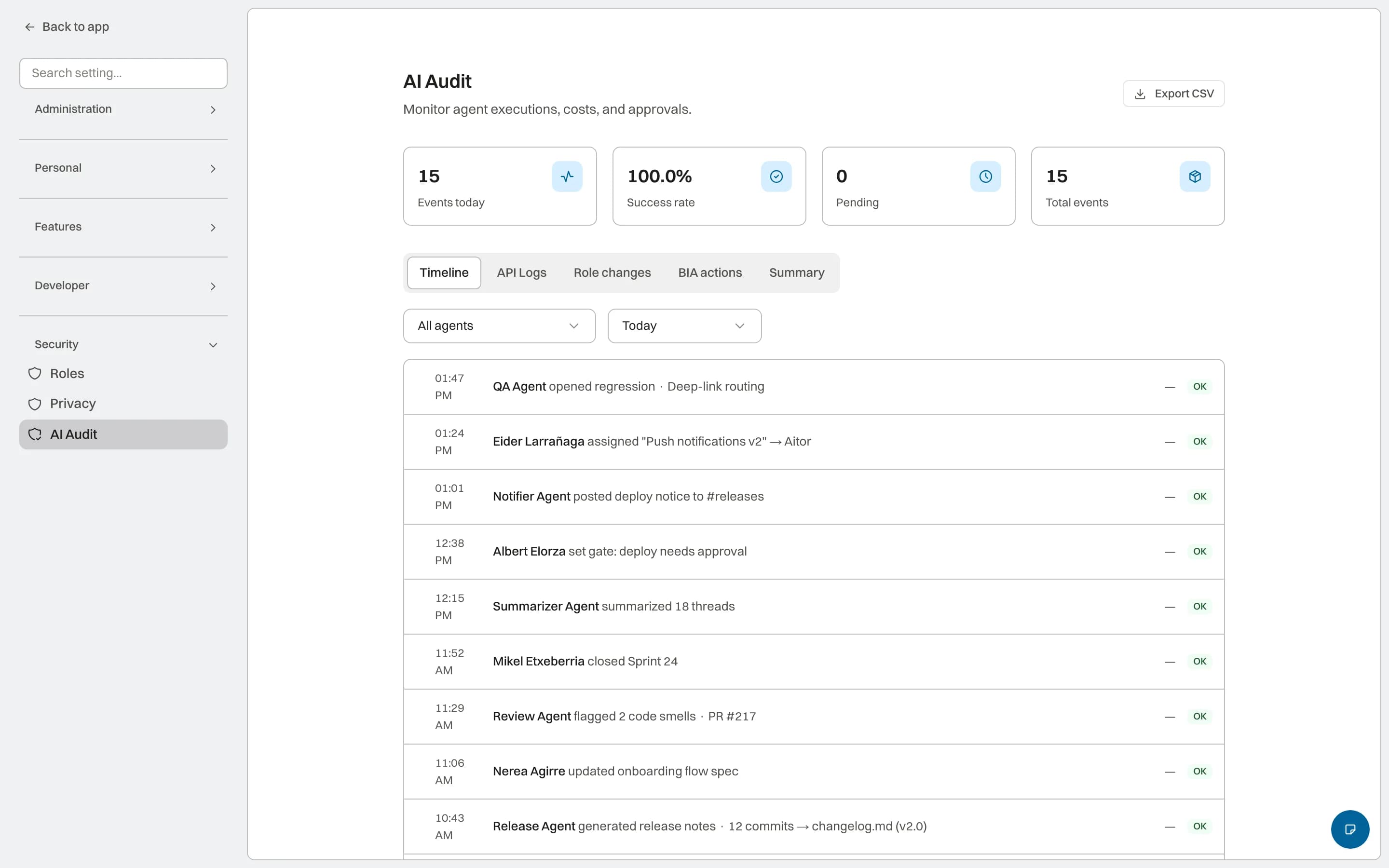
The coding agent delivers the change. Internal agents can prepare documentation, design tests, or review work from the shared context. Every role keeps its own instructions, tools, and boundaries before it joins your workflow.
Documentation prepared from the real change
Testing and review as separate work
Roles with their own tools and boundaries
The connection proves value when its scope can be explained. BIKLABS lets you validate a small journey before adding more agents, permissions, or automation.
Bound the context the agent can read and the change it should return to the project.
Keep repository and execution in your environment while BIKLABS provides work and state.
Validate the returned update before expanding tools, scope, or autonomy.
Adoption principleMCP remains in Preview: each concrete workflow is validated before it is treated as stable operation.
Straight answers about adoption, control, and fit.
No. The coding agent works in its environment and repository. BIKLABS keeps assignment, context, and evidence for the work.
The architecture supports separate identities and scopes, but mature multi-agent operation is still evolving. Validate the specific workflow during Preview.
The run view shows the events and metrics returned by the runtime. Coverage is still Preview and does not equal a complete or immutable record.
Templates marked Coming soon are not available yet. BYOA (Bring Your Own Agent) connectivity through MCP and API is explained as a separate workflow.